
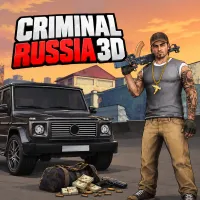
Criminal Russia 3D
 Obby Bicycle
 Bike Bros
 Snow Rider Neo
 Melon Drop: Merge Master
 Chill Guy Clicker
 Hockey Bros
 Basket Bros
 Funny Battle War Simulator
 Volley Random
 Wheelie Spooky
 Extreme Motorcycle Crashes
 Motorcycle Racer: Road Mayhem
EXPLORE THE OPEN-WORLD CRIME OF CRIMINAL RUSSIA 3D
Criminal Russia 3D is an open-world 3D action game where players explore a Russian city, drive vehicles, and complete missions. Players can earn cash through side jobs, take on risky missions, or chase thrilling pursuits through busy city streets. The city offers freedom to explore on foot or behind the wheel, while car customization adds a personal touch. Step into the urban underworld and carve out your own path through the city!
HIGH-SPEED CHASES WEAPONS AND OPEN-WORLD FREEDOM
Within Criminal Russia 3D, players can explore a detailed city, interact with its surroundings, and switch between walking and driving. The expansive vehicle selection includes cars, trucks, motorcycles, and buses, giving every trip a different feel. Players can take on jobs such as taxi driving or vehicle theft, while story missions introduce new challenges and rewards. A wide arsenal supports combat, and police pursuits create extra pressure after criminal activity. Vehicle tuning offers options for paint colors, window tint, suspension, spoilers, and wheel rims. Character customization adds outfits, while the simulation elements include traffic lights and public transportation. Careful driving and quick reactions help players navigate the city and escape tense situations.
Choose Your Path In Criminal Russia 3D
Criminal Russia 3D features two modes that let players experience the city alone or alongside other players.
- Singleplayer: Explore the open-world city at your own pace, follow story missions, earn money through various jobs, steal vehicles, and escape police pursuits as you shape your criminal journey.
- Multiplayer: Enter the online world with other players, explore the city together, participate in network activities, and enjoy competitive encounters while building your own reputation.
Keyboard Moves For Survival in Criminal Russia 3D
- W / A / S / D: Move your character or steer a vehicle.
- Shift: Run faster on foot.
- Spacebar: Jump over small obstacles.
- Left Mouse Button: Attack or fire a weapon.
- Right Mouse Button: Aim your weapon.
- V: Show or hide the mouse cursor.
Note: Some actions may use on-screen prompts, and the settings menu provides additional control details.
OPEN-WORLD ACTION GAMES WORTH EXPLORING
 Obby: Supercar Race on Keyboard
 Drift Masters
 Bus Simulator: EVO
 Road Fury - Racing
 Drive Quest
 Deadly Chase: Full Throttle
 Sky Race 3D
 TRAFFIC Rush Online
 Police Chase: Cops vs Criminals
 Turball.io
 Case Simulator: Cars
 Extreme Drift: Highway Clash